Explore Rest areas, New South Wales
Charts and tables over the 869 rows of the latest version, worked out in your browser from the Parquet file. Nothing you do here leaves the browser until you save a link.
Paste this where the dashboard should appear. The frame shows the attribution and links back here.
The explorer needs JavaScript and a browser from the last few years. The dataset page has every file and the query API.
Press Edit on any panel to change its chart type and drag fields into Group by, Split by and Filter. Drag a panel by its title to move or dock it, and click a bar in the first chart to filter the rest.
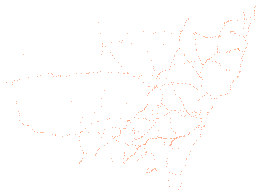
Data: Transport for NSW, NSW Government, NSW Rest Areas, sourced 19 October 2026, https://opendata.transport.nsw.gov.au/data/dataset/nsw-rest-areas, licensed under CC BY 4.0. Licence terms.
How it works
Change a panel
Press Edit at the top right of a panel to open its settings. Drag fields into Group by, Split by, Sort by and Filter, pick a chart type at the top, and choose sum, count or average beside each number. More fields lists everything else in the dataset. The chart types include bars, lines, areas, scatter plots, heatmaps, treemaps and sunbursts, and maps of the coordinates. Add a chart puts a new panel on the dashboard. Drag a panel's title bar to move it, or drag the line between panels to resize.
Filter every panel at once
The chart marked Click to filter the others does just that: click a bar and the other panels show only those rows. Click it again to clear. Any panel can do the same. Open the menu at the left of its title bar and turn on filtering from there.
Share or keep a dashboard
The address bar holds the whole dashboard, so copying it is enough. Save a short link to store the dashboard on this site and get a shorter address. A saved dashboard never changes; saving again after an edit makes a new link. Embed gives a frame you can paste into a web page, with the attribution inside it.
Download what you see
The export button in a panel's settings toolbar downloads the panel as CSV, JSON or Arrow, or a chart as PNG. The copy button beside it puts the same data on the clipboard. The full files are on the dataset page.
What the fields mean
The explorer names each field in words. The files and the query API use the field name beside it.
| In the explorer | Field name | Type | Note |
|---|---|---|---|
| Rest area number | rest_area_number | string | |
| Rest area | rest_area_name | string | |
| Road | road_name | string | |
| Road number | road_number | string | |
| Suburb | suburb | string | |
| Local government area | lga | string | |
| Region | region | string | |
| Responsible authority | responsible_authority | string | |
| Category | category | string | |
| Vehicle type | vehicle_type | string | |
| Status | site_status | string | |
| Side of road | side_of_road | string | |
| Access direction | access_direction | string | |
| Access direction (compass) | access_direction_cardinal | string | |
| Carriageway configuration | carriageway_configuration | string | |
| Distance from | distance_from | string | |
| Latitude | latitude | number | |
| Longitude | longitude | number | |
| Toilets | toilets | integer | The number of toilets at the site. |
| Accessible toilet | disabled_toilet | boolean | |
| Shelter | shelter | boolean | |
| Barbecue | bbq | boolean | |
| Picnic table | picnic_table | boolean | |
| Litter bins | litter_bins | boolean | |
| Playground | playground | boolean | |
| Driver Reviver | driver_reviver | boolean | |
| Food available | food_available | boolean | |
| Fuel available | fuel_available | boolean | |
| Description | description | string | |
| Construction date | construction_date | string | |
| Carriageway code | carriageway_code | string | |
| Light vehicle parking capacity | light_vehicle_parking_capacity | string | |
| Light vehicle parking type | light_vehicles_parking_type | string | |
| Heavy vehicle parking capacity | heavy_vehicle_parking_capacity | string | |
| Heavy vehicle parking type | heavy_vehicles_parking_type | string | |
| Entry taper | entry_taper | string | |
| Exit taper | exit_taper | string | |
| Lighting | lighting | string | |
| Water supply type | water_supply_type | string | |
| Separate light and heavy parking | separated_parking_areas_light_heavy | boolean | |
| Shade | shade | boolean | |
| Non-potable water sign | sign_non_potable | boolean | |
| Power outlets | power_outlets | boolean | |
| Emergency phones | emergency_phones | boolean | |
| Accessible | accessible | boolean | |
| Tree shading | tree_shading | boolean | |
| Tourist information | tourist_information | boolean | |
| Sports ground | sports_ground | boolean | |
| Baby change facilities | baby_change_facilities | boolean | |
| Lookout | lookout | boolean | |
| Caravan waste disposal | caravan_disposal | boolean | |
| Power supply | power_supply | boolean | |
| Boat ramp | boat_ramp | boolean | |
| Pets allowed | pets_allowed | boolean | |
| Last updated | last_updated | date |
How it runs
The page downloads DuckDB and Perspective once, about 17 MB, then this version's data.parquet (68 KB). Every chart is a query DuckDB answers in the browser, so there is no rate limit and the files stay the only source. A saved dashboard over a dated version keeps showing that version's numbers. A map panel draws its background from OpenStreetMap tiles, so while one is on screen your browser asks OpenStreetMap for them and it sees your IP address. The data itself never leaves the browser.